A login shell in a pseudo-terminal, drawn with SwiftTerm. Once a second Smalti checks the terminal's foreground process. If it is claude, the panel shows a claude badge, finds the matching transcript, and takes the session's title.
Smalti
Smalti is the control surface for a software factory: the coding agents, machines, checks and forge that together turn intent into shipped, verified changes. It is built so that one person can direct that work, see what needs them, and check the results, from a desk or from a phone.
The macOS app works today, built from source until the first release is published. It puts Claude Code sessions, terminals, browsers and notes on one canvas, indexes every session on the machine, and watches the resources the agents use.
macOS 15 or later. Windows, iPhone and iPad versions are in development.

In use
Screenshots from the apps, taken with demo data.
What needs you, on any screen
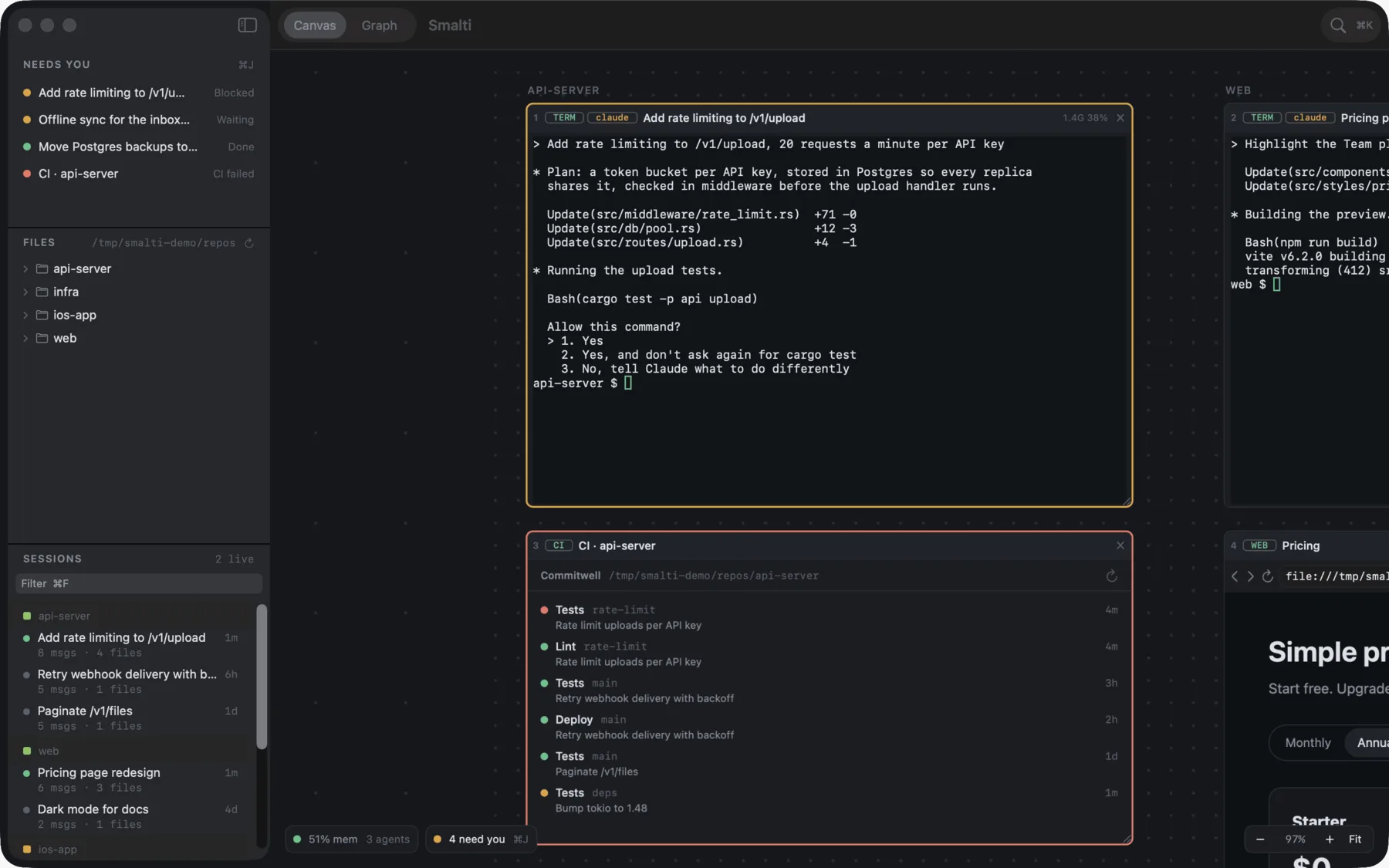
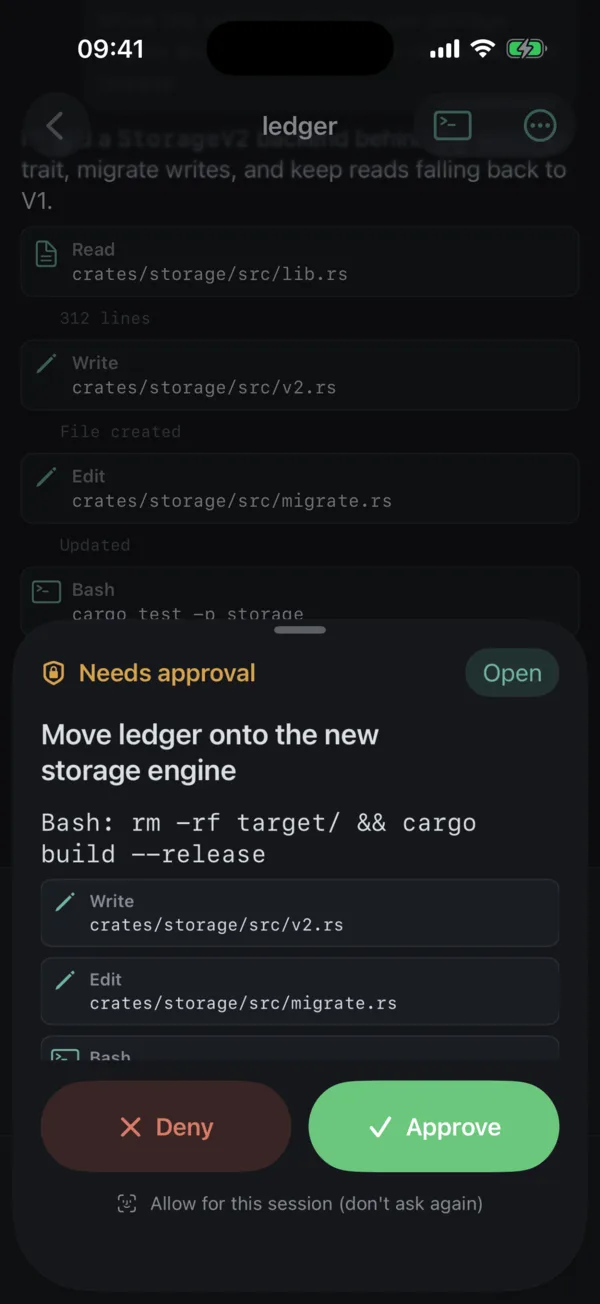
Agents stop for three reasons: they need permission, they have a question, or they are done. Smalti collects those into one list, most urgent first. On the Mac it is the Needs you list and ⌘J. On the phone it is the first tab, and a permission request can be approved or denied from it, with the exact command shown first.
macOS: the list and ⌘J. iPhone (in development): the list, approve and deny.
How a project was steered
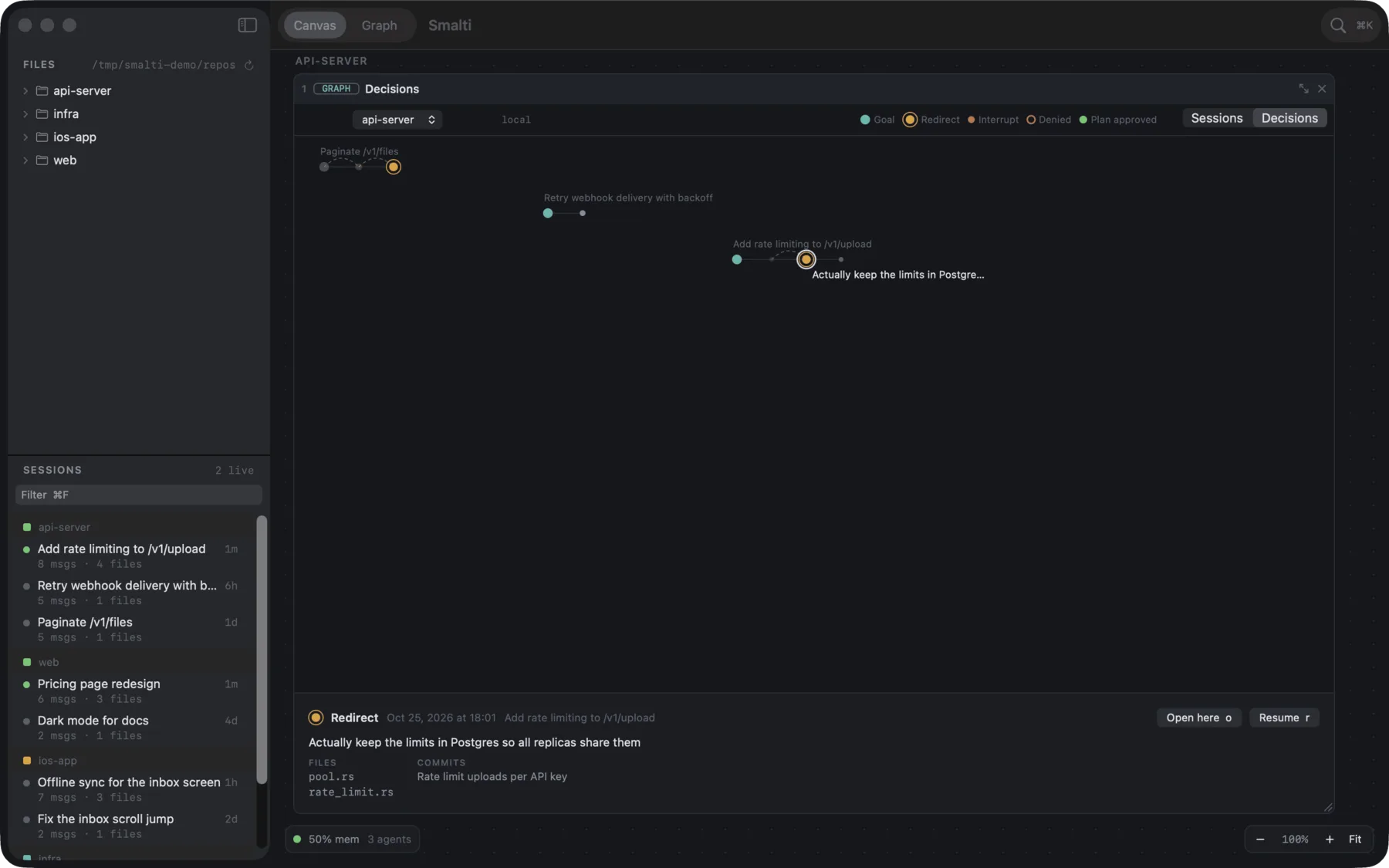
The decision timeline lays out every goal, redirect, interrupt, approval and answer across a project's sessions, with the files and commits that followed each one. A diff shows what changed; the timeline shows the instructions that led to it.
macOS. Decision timeline
The machine stays up
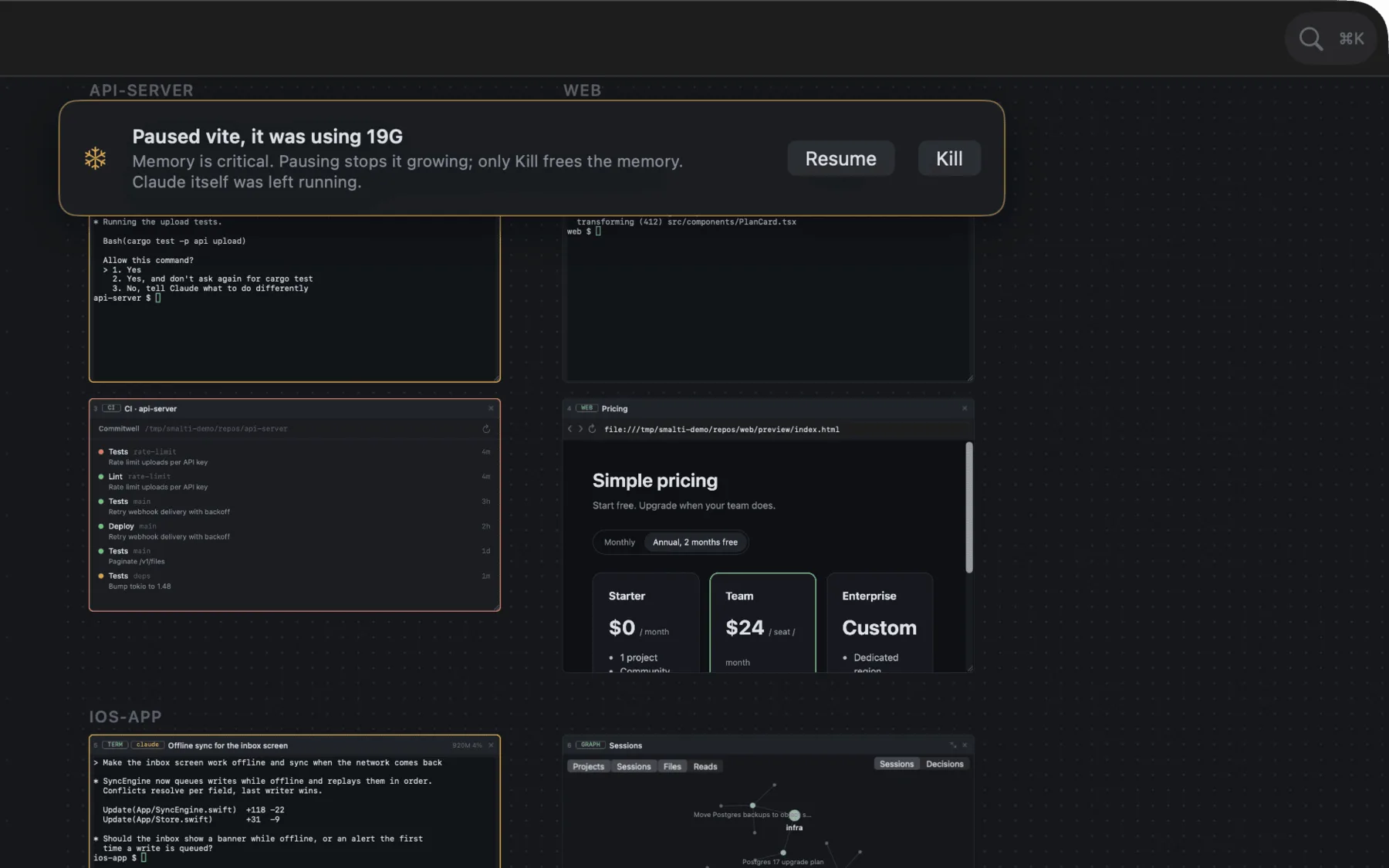
The governor measures each terminal's whole process tree. Under memory pressure it holds new agents in a queue, and at critical pressure it pauses the largest runaway build or test (never the agent) and asks whether to resume or kill it.
macOS. Resource governor
Everything from the keyboard
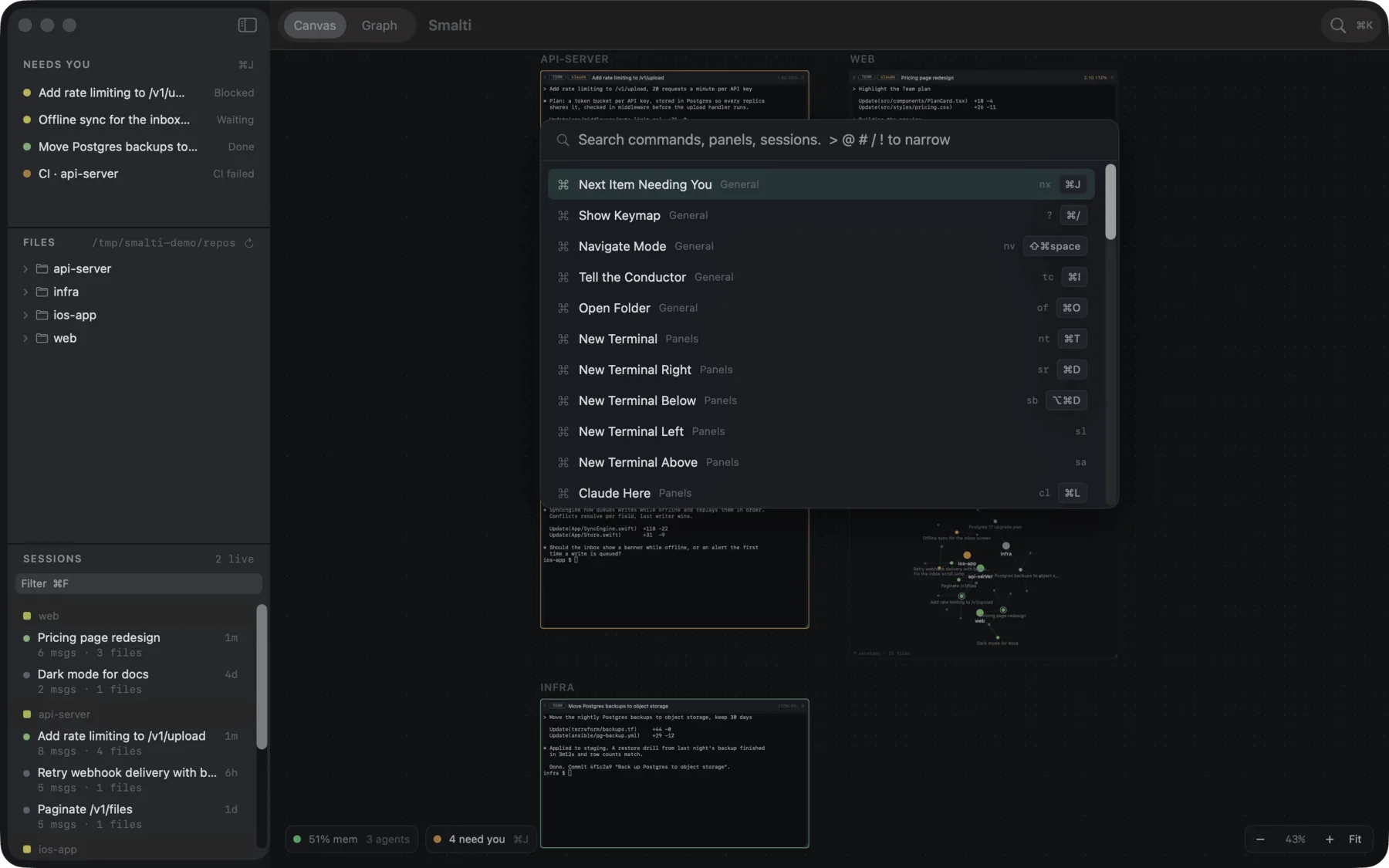
One palette finds every command, panel, session, file and SSH host, and shows each command's shortcut beside it. Every Smalti chord includes ⌘ on Apple platforms (Ctrl+Shift on Windows), so Ctrl, Alt and Esc always reach the shell, vim, tmux and Claude Code.
macOS; Windows in development. Keyboard reference
One agent that runs the others
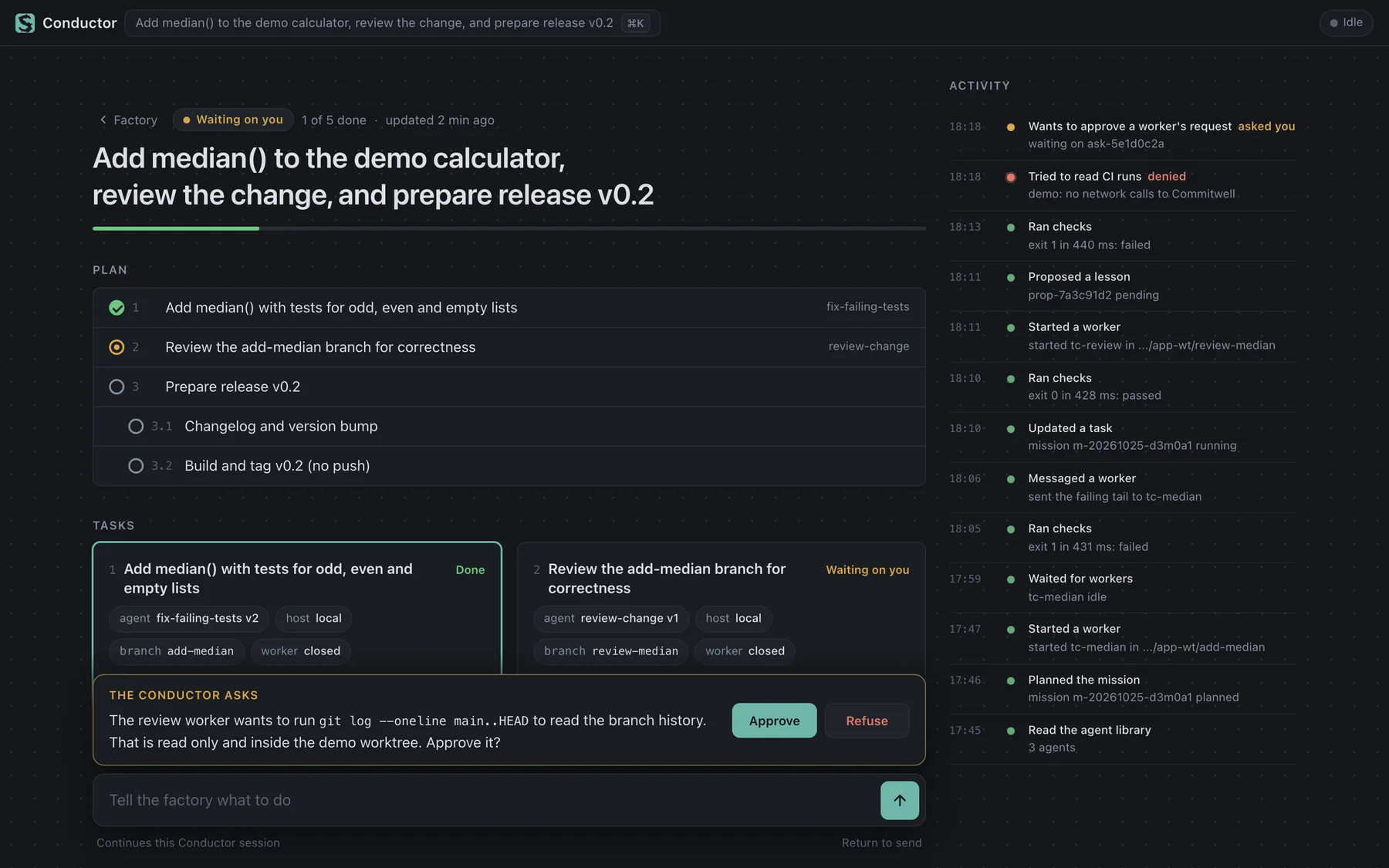
The Conductor turns a request into a mission: a goal, a short plan of tasks, and a card for each task showing its agent, machine, branch and last check. It uses the same tools you have, within a policy you set, logs every action, and asks one clear question when it needs you. Its page is served from your own machine and works the same on a desk or a phone.
In development: a prototype with this web view, shown in the Mac app's Mission panel. How it works today
Several machines, three platforms
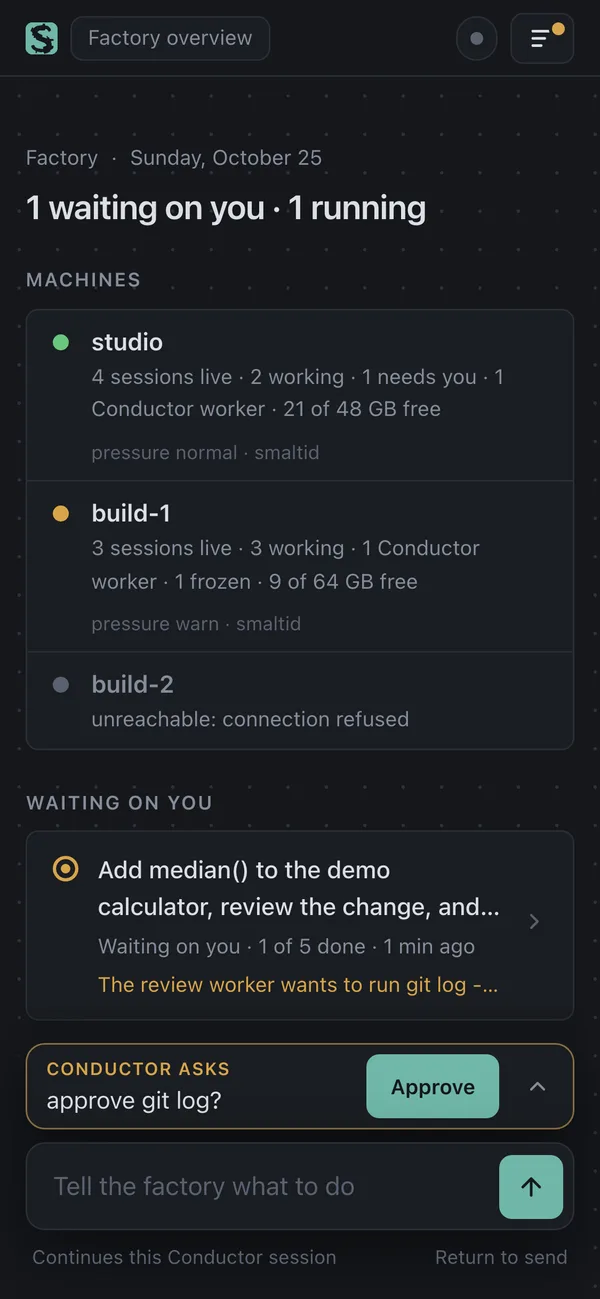
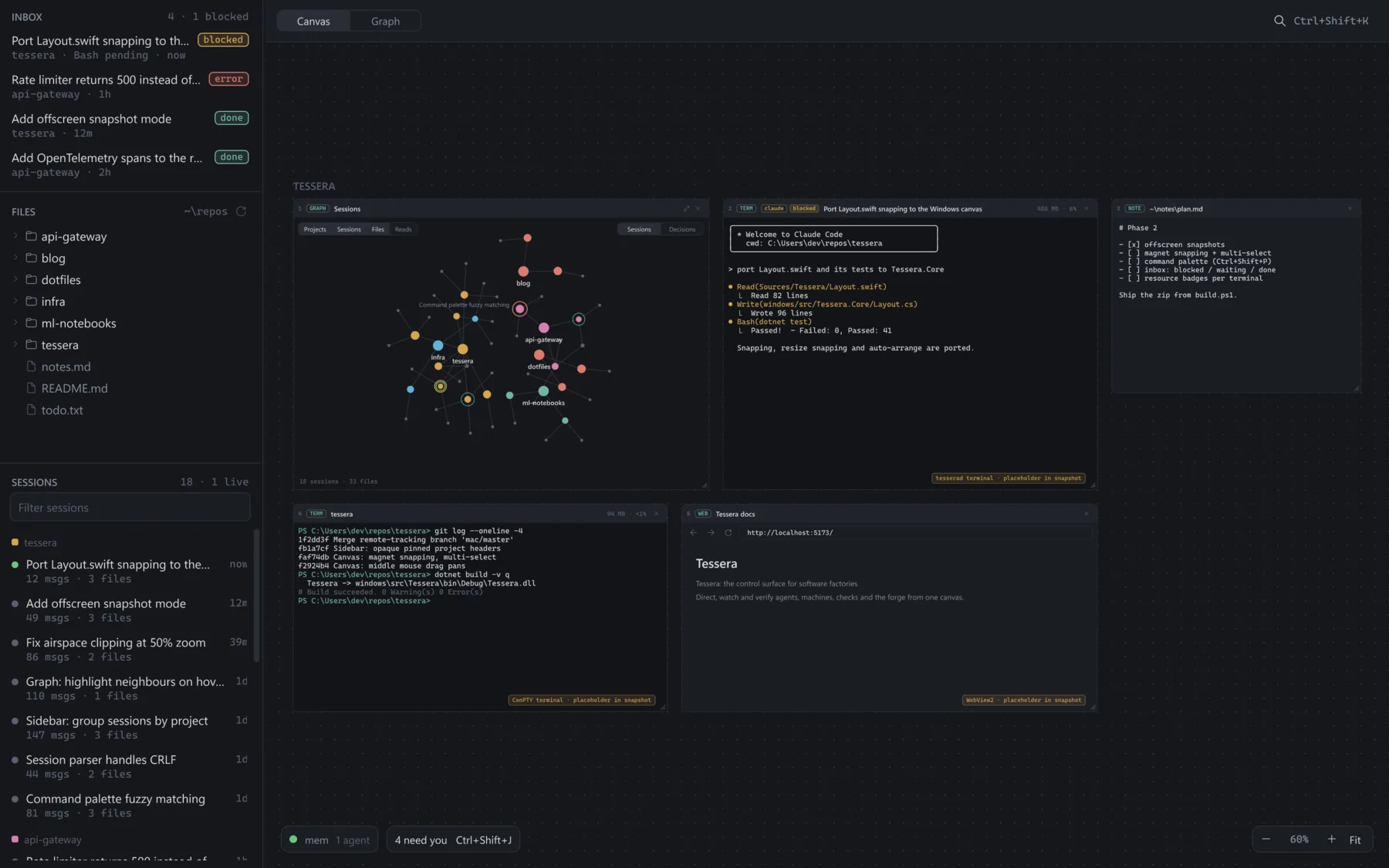
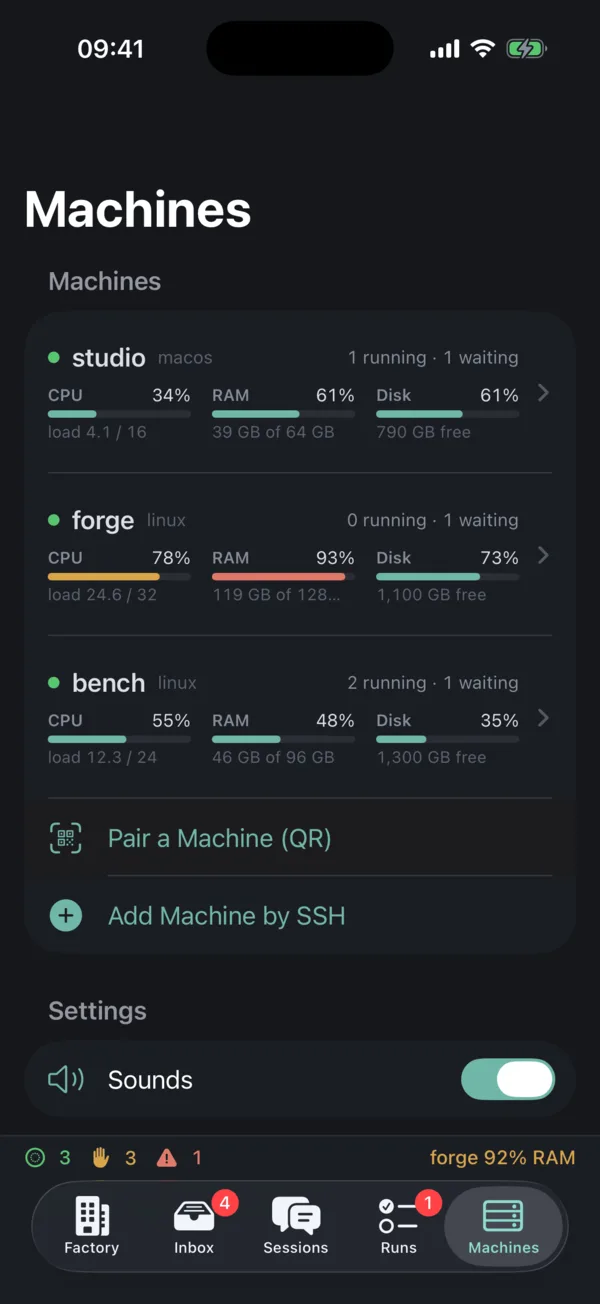
The same panels, sidebar and graph on macOS and Windows, and a phone app that shows every machine's load, its running and waiting agents, and the sessions on it. Machines are reached over SSH through Tailscale; nothing goes through a Smalti server.
macOS now; Windows, iPhone and iPad in development.
What a software factory needs from one person
Agents do most of the typing. The person sets goals and constraints, answers questions, approves risky actions, and decides when work is actually done. Today that job is spread across terminal tabs, tmux sessions, forge pages, Activity Monitor and chat. Smalti puts it in one place. The table shows what exists now and what is still being built.
| Part | What it does | Status |
|---|---|---|
| Canvas | Terminals, browsers, notes, session graphs and CI runs as panels on one zoomable canvas, all reachable from the keyboard and a command palette. | macOS |
| Session index | Every Claude Code session on the machine, by project, linked to the terminal it runs in. | macOS |
| Governor | Measures each panel's whole process tree, holds new agent launches when memory is short, and pauses a runaway build rather than letting the machine swap to a halt. | macOS |
| Commitwell | A CI panel that shows runs from the Commitwell forge next to the sessions that produced them. | macOS |
| Decision timeline | Every goal, redirect, interrupt, approval and answer in a project's sessions, in order, with the files and commits that followed each one. | macOS |
| Inbox | One list of what needs you: sessions waiting on an answer, finished sessions and failed CI runs, with one key to jump to the next. | macOS |
| Remote hosts | The phone and tablet reach your machines over SSH and Tailscale and reattach to their terminals through tmux. | in development |
| smaltid | One small daemon per machine that indexes sessions, tracks attention, measures resources and serves one API to every app. | in development |
| Done means verified | A session is shown as done only after the project's checks pass, not when the agent says so. | in development |
| Conductor | One orchestration agent that you talk to, which starts, steers and checks the others within a policy you set. A prototype runs from the command line; the Mac app shows its missions in a panel and takes messages from a one-line bar (⌘I). | in development |
| Agent library | Reusable agents that propose changes to their own instructions after each run, which you accept as diffs. Claude Code subagents can be imported, and Codex runs through an adapter. Part of the Conductor prototype. | in development |
| Fleet | Sessions placed on, and moved between, machines by available memory, CPU and GPU. smaltid can already move a stopped session, with its branch and transcript, to another machine. | in development |
Panels
There are six kinds of panel. Any panel can be moved, resized, snapped against its neighbours and selected together with others. The layout is saved to disk and restored at launch.
A force-directed graph with three kinds of node: projects, sessions and files. A session is connected to its project and to every file it edited. Files that more than one session touched end up between them, which shows where work overlapped.
A WebKit view with back, forward, reload and an address field. localhost:3000 is loaded as typed, so a development server can sit next to the session that is changing it. The Web Inspector is available.
A plain-text editor that saves to its file 0.6 seconds after the last keystroke. Opening a text file from the sidebar creates a note; opening HTML, PDF, images or video creates a browser panel instead.
Recent Commitwell runs for the panel's repository, read through the cw command line tool every 30 seconds. A failed latest run puts the panel in the Needs you list.
The Conductor's web view, shown when smalti-conductor serve is running on the machine, with a badge counting its open questions. ⌘I opens a one-line bar that sends it a message.
Sessions
Smalti scans ~/.claude/projects every four seconds. For each transcript it records the working directory, a title (Claude Code's generated title, or else the first prompt), the number of messages, and the files the session edited or read. Results are cached, so a transcript is parsed again only when its size or modification time changes.
The sidebar lists sessions by project, newest first. A green dot marks a session that is running in a terminal panel or whose transcript changed in the last 90 seconds. Clicking a session focuses the terminal it is running in, or resumes it with claude --resume in a new one.
Data
There is no account, no Smalti server and no telemetry. The Mac app reads ~/.claude/projects but never writes to it, and keeps its own state in ~/Library/Application Support/Smalti. It opens no network connections of its own (apart from a local one to smaltid, if running); traffic comes from pages loaded in browser panels, commands run in terminals, and the Commitwell CLI when a CI panel is open.
Platforms
macOS 15+available
Native AppKit and SwiftUI. Build it with SwiftPM; release builds are coming.
Windowscoming soon
A native WPF port with the same panels, sidebar and graph, reading the same transcript format.
iPhone and iPadcoming soon
Connects to your own computers over SSH, normally through Tailscale, and attaches to their terminals inside tmux so a dropped connection resumes where it left off.


The mark
Smalti are the small glass tiles used in fine mosaics since Byzantium; each one is cut by hand and set at a slight angle so the surface catches light. Many small pieces, set together into one picture. Just like a software factory.